Gradle Test Insights
Gradle test insights {#gradle-test-insights}
Section titled “Gradle test insights {#gradle-test-insights}”::: warning REQUIREMENTS
- The
Tuist Gradle plugin installed and configured
:::
Tuist’s Gradle plugin automatically uploads test results after each test task execution, giving you visibility into test performance and flaky tests directly in the Tuist dashboard.
Test insights are collected automatically when the Tuist Gradle plugin is applied — no additional configuration is needed beyond the initial plugin setup.
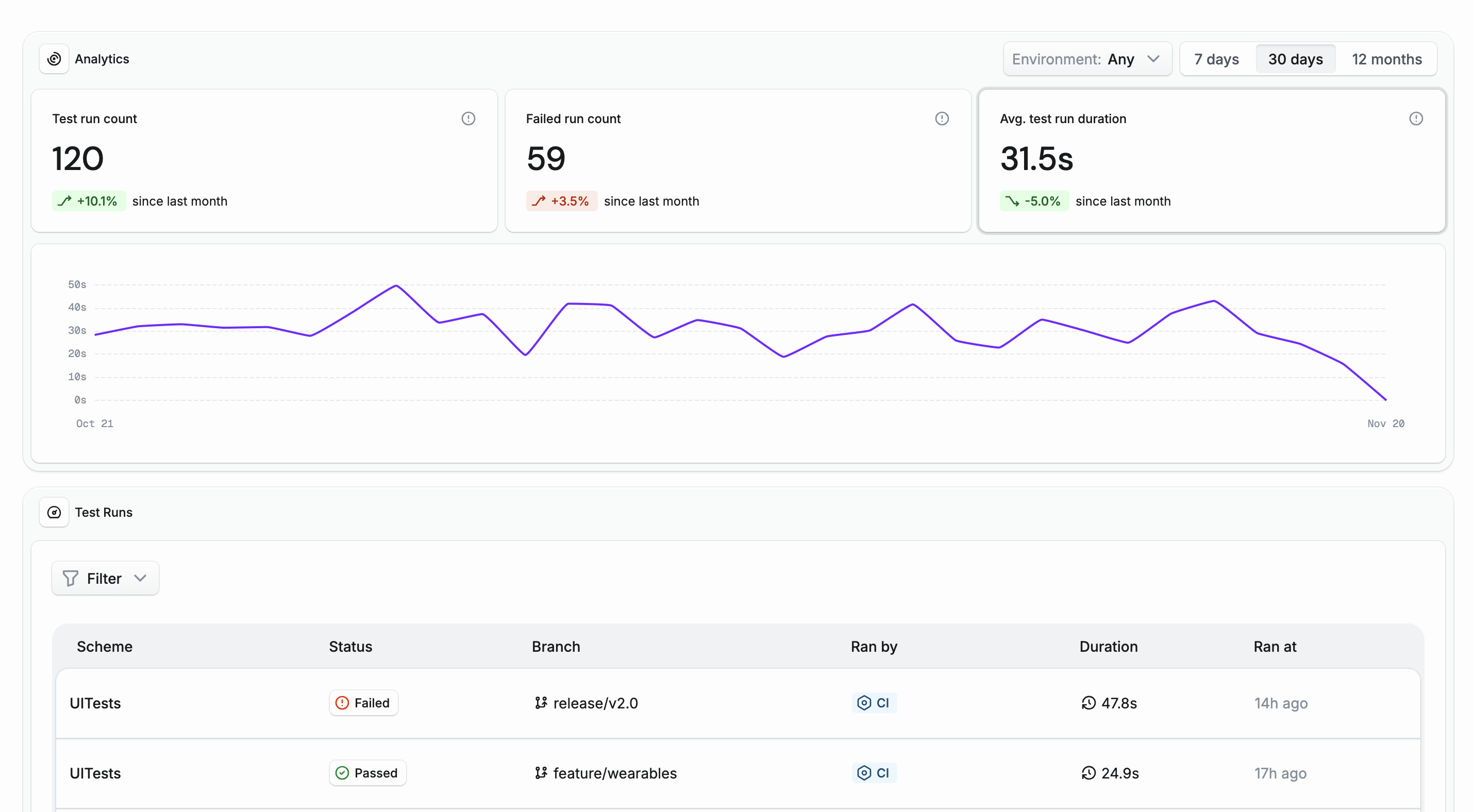
You can access your test insights in the Tuist dashboard and see how they evolve over time:
What is tracked {#what-is-tracked}
Section titled “What is tracked {#what-is-tracked}”The plugin collects results from all Gradle Test tasks, including:
- Individual test case pass/fail status and duration
- Test suite and class structure
- Flaky test detection across runs
Configure upload behavior {#configure-upload-behavior}
Section titled “Configure upload behavior {#configure-upload-behavior}”By default:
- Test results are uploaded in the background for local builds.
- Test results are uploaded in the foreground for CI runs to avoid losing telemetry on short-lived agents.
You can override this behavior using uploadInBackground in the tuist block in your settings.gradle.kts:
tuist { uploadInBackground = false // always upload in the foreground}