Xcode Build Insights
Xcode build insights
Section titled “Xcode build insights”Working on large projects should not require rebuilding the same code repeatedly. Tuist Build Insights lets you track build analytics so you can identify trends before local and CI build times become bottlenecks.
Build insights are driven by the tuist inspect build command, typically added to your scheme’s post-action.
To start tracking local build times, you can leverage the tuist inspect build command by adding it to your scheme’s post-action:
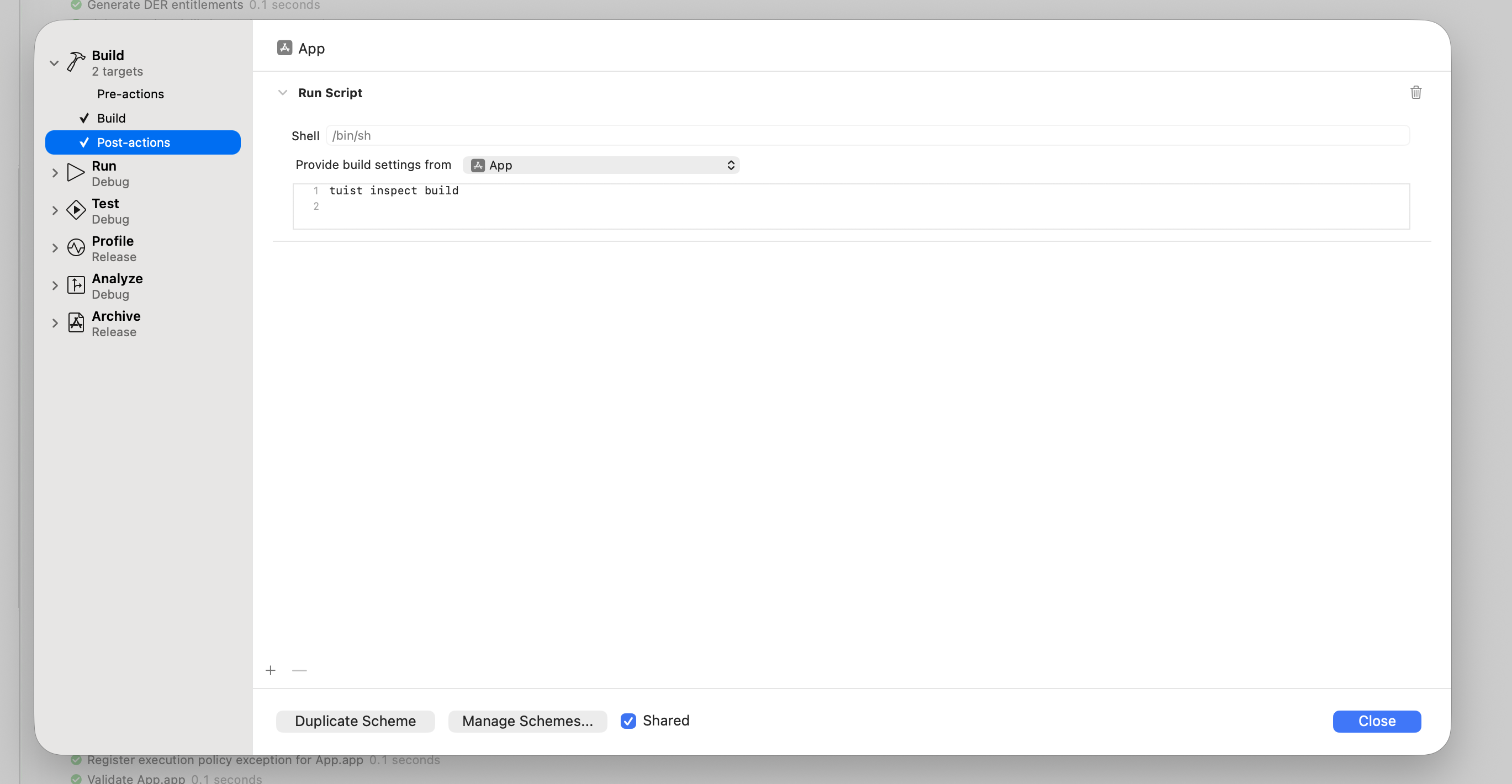
For Mise, activate tuist in the post-action environment:
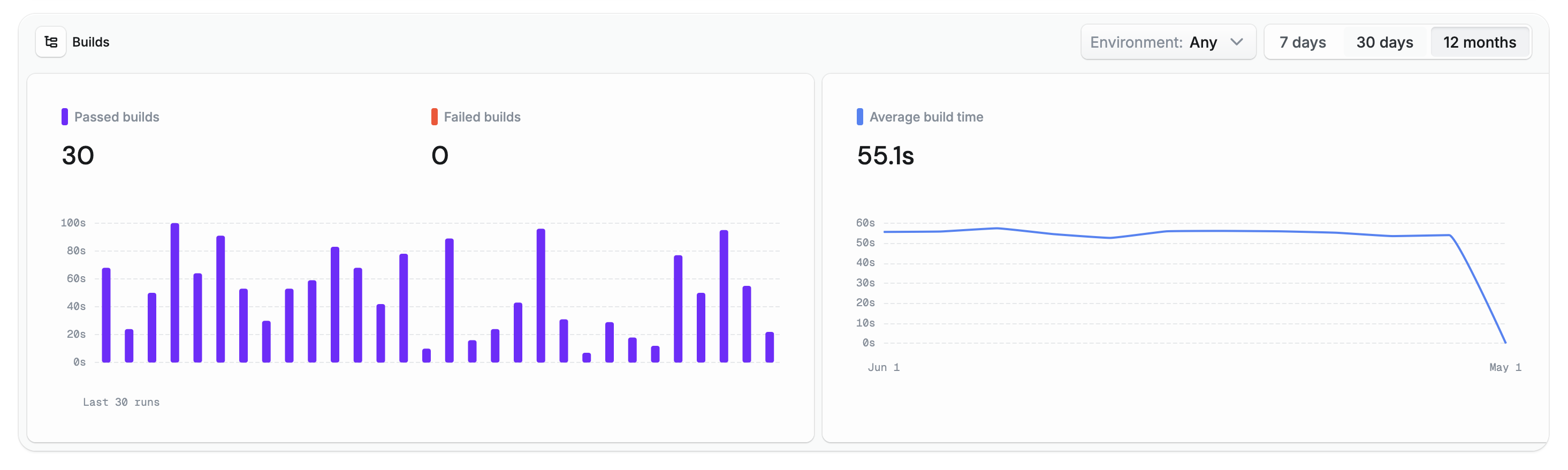
# -C ensures that Mise loads the configuration from the Mise configuration# file in the project's root directory.$HOME/.local/bin/mise x -C $SRCROOT -- tuist inspect buildOnce logged in, local builds are tracked and available from the Tuist dashboard:
Generated projects
Section titled “Generated projects”If you are using generated projects with custom schemes, add post-actions:
let project = Project( name: "MyProject", targets: [ // Your targets ], schemes: [ .scheme( name: "MyApp", shared: true, buildAction: .buildAction( targets: ["MyApp"], postActions: [ .executionAction( title: "Inspect Build", scriptText: """ $HOME/.local/bin/mise x -C $SRCROOT -- tuist inspect build """, target: "MyApp" ) ], runPostActionsOnFailure: true ), runAction: .runAction(configuration: "Debug") ) ])If you are not using Mise, simplify to:
buildAction: .buildAction( targets: ["MyApp"], postActions: [ .executionAction( title: "Inspect Build", scriptText: "tuist inspect build", target: "MyApp" ) ], runPostActionsOnFailure: true)Build Insights in CI
Section titled “Build Insights in CI”To track build insights on CI, make sure CI is
For Xcodebuild-driven CI you need to:
- Use
tuist xcodebuildxcodebuildactions. - Add
-resultBundlePathto yourxcodebuildcommand.
Without -resultBundlePath, required activity logs and result bundles are not generated and tuist inspect build cannot analyze the build.
Machine metrics
Section titled “Machine metrics”Build insights can include machine-level performance metrics (CPU, memory, network, and disk usage) captured during the build. To enable this, set up a lightweight background daemon that continuously samples system metrics:
tuist setup insightsThis runs a local daemon that samples metrics in the background. The data is picked up automatically by tuist inspect build and uploaded with the build report.
Custom metadata
Section titled “Custom metadata”You can attach metadata to builds with environment variables to improve filtering.
Environment variables
Section titled “Environment variables”| Variable | Format | Description |
|---|---|---|
TUIST_BUILD_TAGS | Comma-separated | Multiple tags in one variable. |
TUIST_BUILD_VALUE_* | Single value | Key-value pair where suffix is the key. |
Examples
Section titled “Examples”Set these values in CI or your shell before invoking your build:
export TUIST_BUILD_TAGS="nightly,ios-team,release-candidate"export TUIST_BUILD_VALUE_TICKET="PROJ-1234"export TUIST_BUILD_VALUE_PR_URL="https://github.com/myorg/myrepo/pull/123"