Gradle Flaky Tests
Gradle flaky tests {#gradle-flaky-tests}
Section titled “Gradle flaky tests {#gradle-flaky-tests}”::: warning REQUIREMENTS
- The
Tuist Gradle plugin installed and configured
:::
Flaky tests are tests that produce different results (pass or fail) when run multiple times with the same code. They erode trust in your test suite and waste developer time investigating false failures. Tuist automatically detects flaky tests and helps you track them over time.
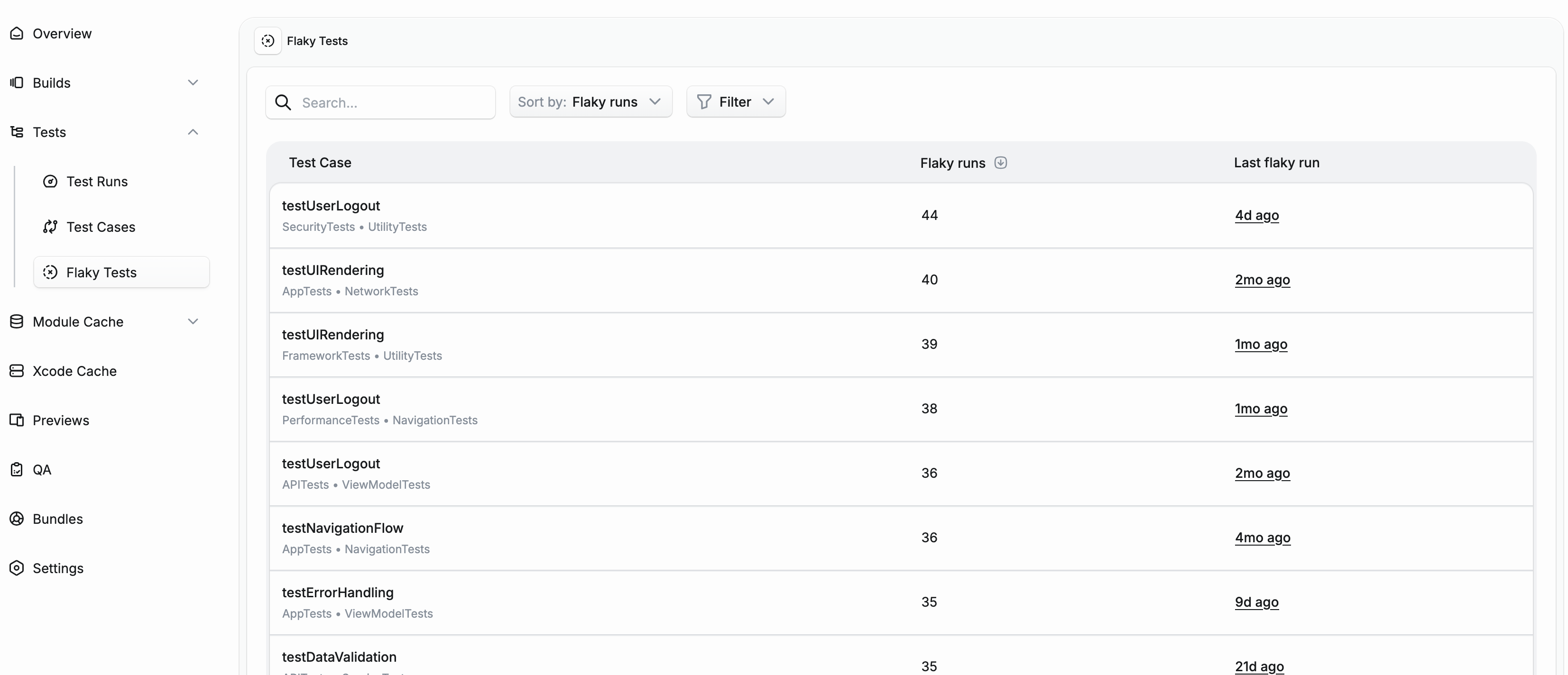
How flaky detection works {#how-it-works}
Section titled “How flaky detection works {#how-it-works}”Tuist detects flaky tests in two ways:
Test retries {#test-retries}
Section titled “Test retries {#test-retries}”When you run tests with retry functionality, Tuist analyzes the results of each attempt. If a test fails on some attempts but passes on others, it’s marked as flaky.
You can use the Test Retry plugin or a similar mechanism to re-run failed tests. Tuist will detect tests that pass on some attempts but fail on others.
Add the plugin to your build.gradle.kts:
plugins {    id("org.gradle.test-retry") version "1.6.2"}
tasks.test {    retry {        maxRetries = 3        maxFailures = 5        failOnPassedAfterRetry = false    }}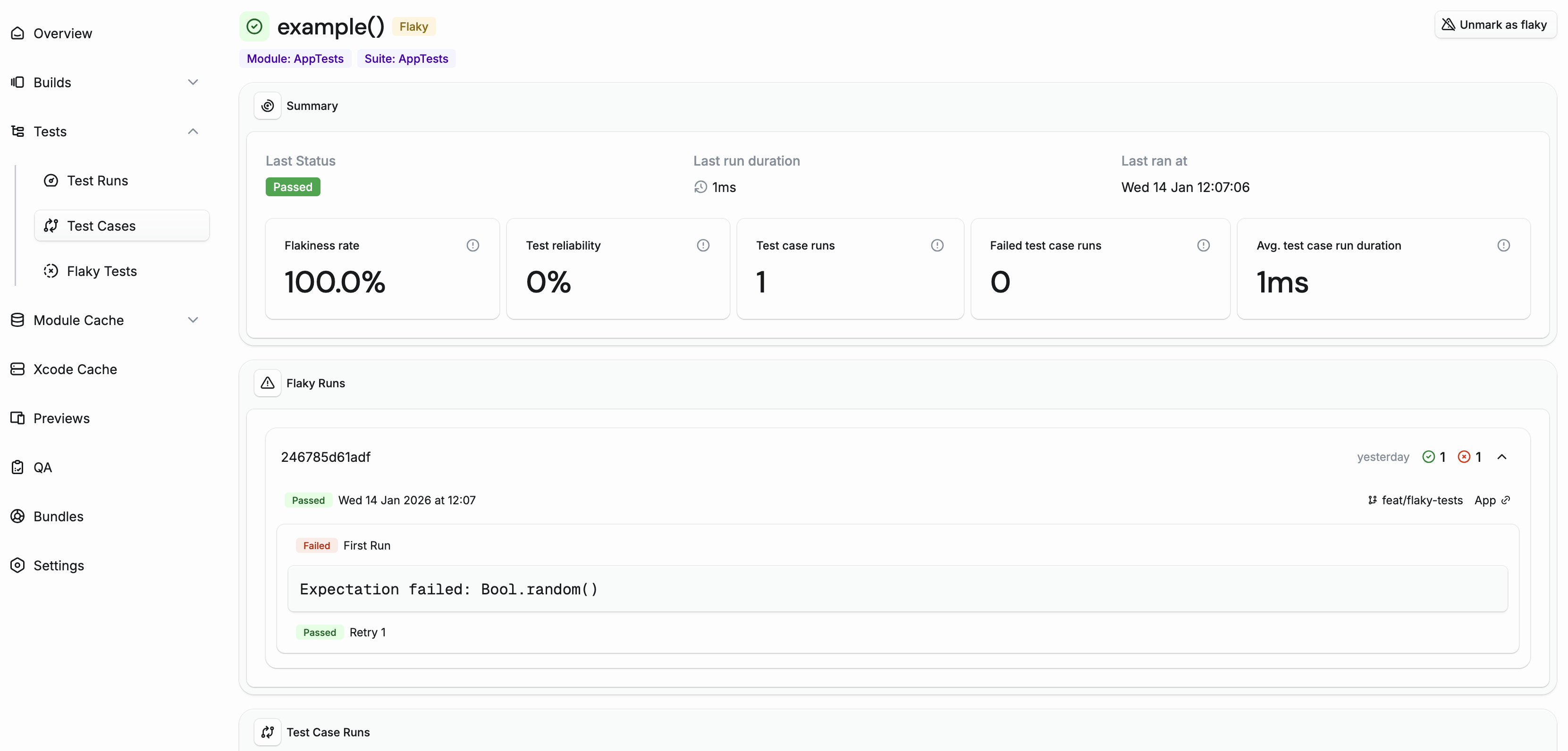
Cross-run detection {#cross-run-detection}
Section titled “Cross-run detection {#cross-run-detection}”Even without test retries, Tuist can detect flaky tests by comparing results across different CI runs on the same commit. If a test passes in one CI run but fails in another run for the same commit, both runs are marked as flaky.
This is particularly useful for catching flaky tests that don’t fail consistently enough to be caught by retries, but still cause intermittent CI failures.
Managing flaky tests {#managing-flaky-tests}
Section titled “Managing flaky tests {#managing-flaky-tests}”Automatic clearing
Section titled “Automatic clearing”Tuist automatically clears the flaky flag from tests that haven’t been flaky for 14 days. This ensures that tests that have been fixed don’t remain marked as flaky indefinitely.
Manual management
Section titled “Manual management”You can also manually mark or unmark tests as flaky from the test case detail page. This is useful when:
- You want to acknowledge a known flaky test while working on a fix
- A test was incorrectly flagged due to infrastructure issues
Quarantining flaky tests {#quarantining}
Section titled “Quarantining flaky tests {#quarantining}”Quarantining allows you to isolate flaky tests so they don’t block your CI pipeline while you work on fixing them. When quarantine is enabled, the Tuist Gradle plugin automatically fetches quarantined tests from the server before each test task and excludes them using Gradle’s excludeTestsMatching filter.
Automatic quarantine
Section titled “Automatic quarantine”When enabled in your project’s Automations settings, tests are automatically quarantined when they’re marked as flaky. This ensures that newly detected flaky tests are immediately isolated without manual intervention.
To enable automatic quarantine:
- Go to your project settings
- Navigate to the Automations tab
- Enable Auto-quarantine flaky tests
Manual quarantine
Section titled “Manual quarantine”You can also manually quarantine or unquarantine tests from the test case detail page using the Quarantine and Unquarantine buttons. This is useful when:
- You want to quarantine a test before it’s automatically detected as flaky
- You want to unquarantine a test after fixing the underlying issue
Skipping quarantined tests {#skipping-quarantined-tests}
Section titled “Skipping quarantined tests {#skipping-quarantined-tests}”Quarantine is automatically enabled on CI (when the CI environment variable is set) and disabled for local builds. The plugin fetches the list of quarantined tests from the Tuist server and excludes them before tests run.
You can explicitly control this behavior in your settings.gradle.kts:
tuist { testQuarantine { enabled = true // or false to disable }}When enabled is not set, it defaults to auto-detection: enabled on CI, disabled locally.
Slack notifications {#slack-notifications}
Section titled “Slack notifications {#slack-notifications}”Get notified instantly when a test becomes flaky by setting up