Bundle insights
Bundle insights
Section titled “Bundle insights”As you add more features to your app, your app bundle size keeps growing. While some of the bundle size growth is inevitable as you ship more code and assets, there are many ways to minimize that growth, such as by ensuring your assets are not duplicated across your bundles or stripping unused binary symbols. Tuist Bundle Insights supports both Apple and Android bundles, providing you with tools and insights to help your app size stay small, and we also monitor your app size over time.
To analyze a bundle, you can use the tuist inspect bundle command:
tuist inspect bundle App.ipatuist inspect bundle App.xcarchivetuist inspect bundle App.appAndroid
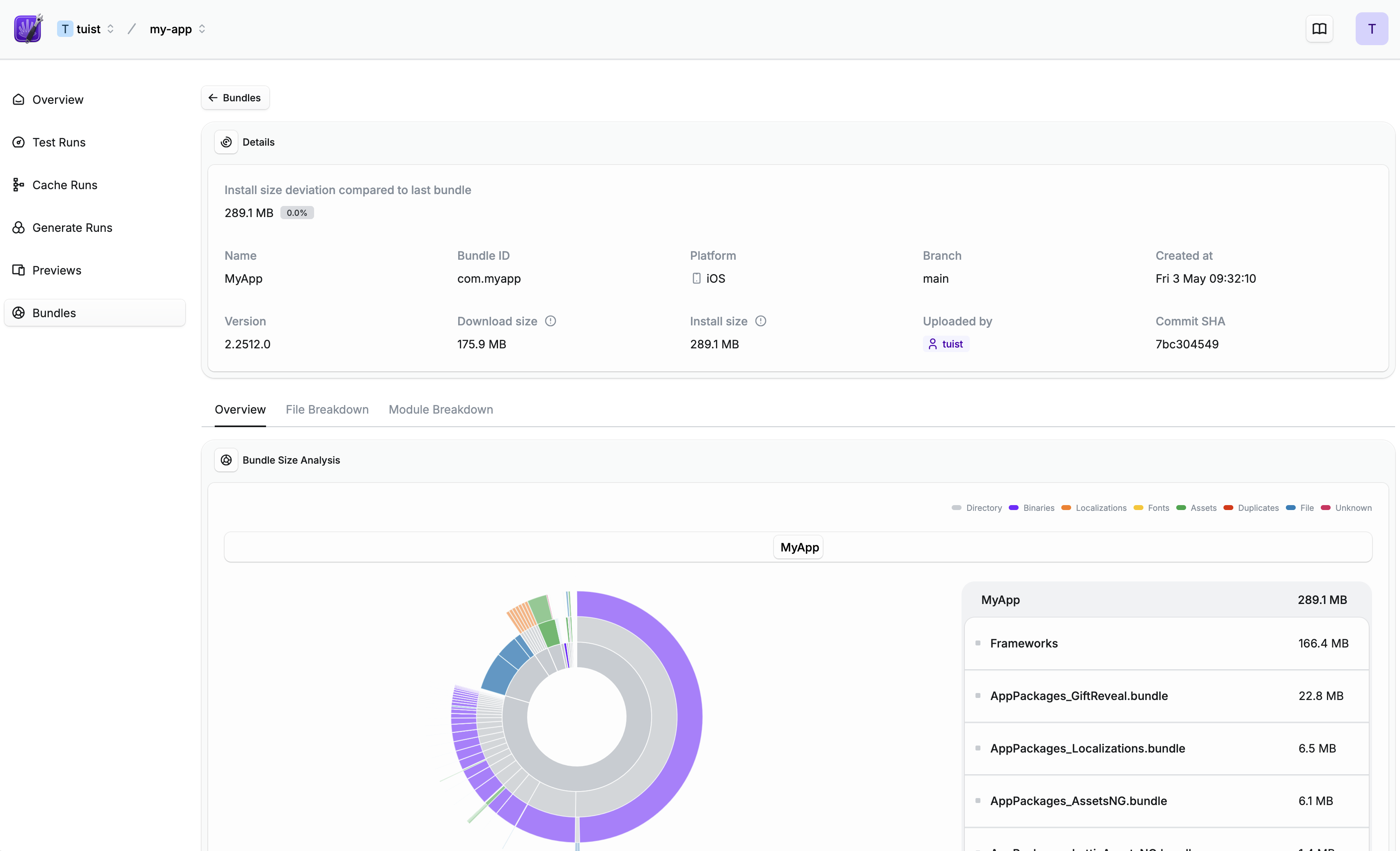
Section titled “Android”tuist inspect bundle App.aabtuist inspect bundle App.apkThe tuist inspect bundle command analyzes the bundle and provides you with a link to see a detailed overview of the bundle including a scan of the contents of the bundle or a module breakdown:
Continuous integration
Section titled “Continuous integration”To track bundle size over time, you will need to analyze the bundle on the CI. First, you will need to ensure that your CI is
An example workflow for GitHub Actions could then look like this:
name: Build
jobs: build: steps: - # Build your app - name: Analyze bundle run: tuist inspect bundle App.ipa env: TUIST_TOKEN: ${{ secrets.TUIST_TOKEN }}name: Build
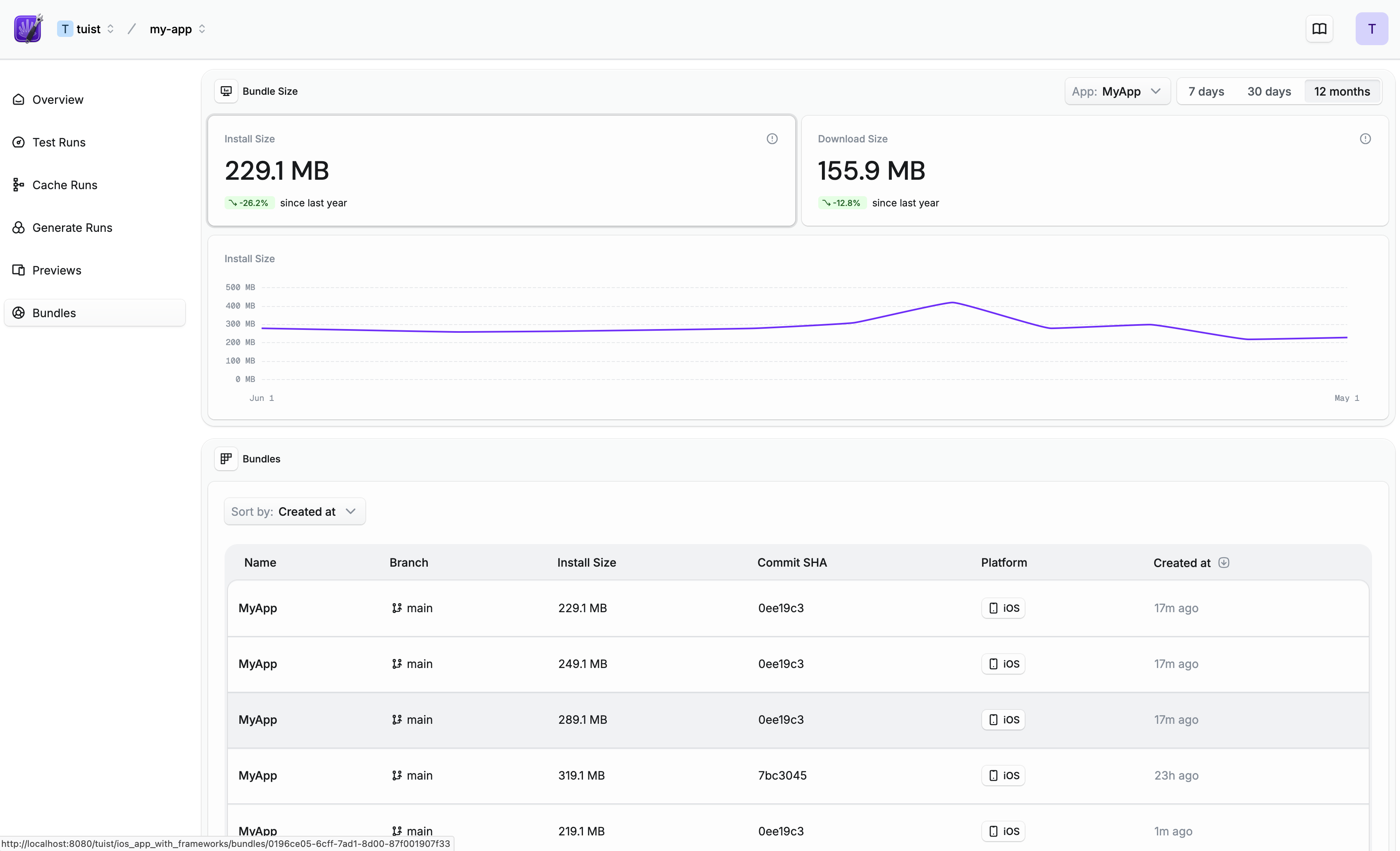
jobs: build: steps: - # Build your app - name: Analyze bundle # .aab is recommended over .apk for more accurate size analysis run: tuist inspect bundle App.aab env: TUIST_TOKEN: ${{ secrets.TUIST_TOKEN }}Once set up, you will be able to see how your bundle size evolves over time:
Pull/merge request comments
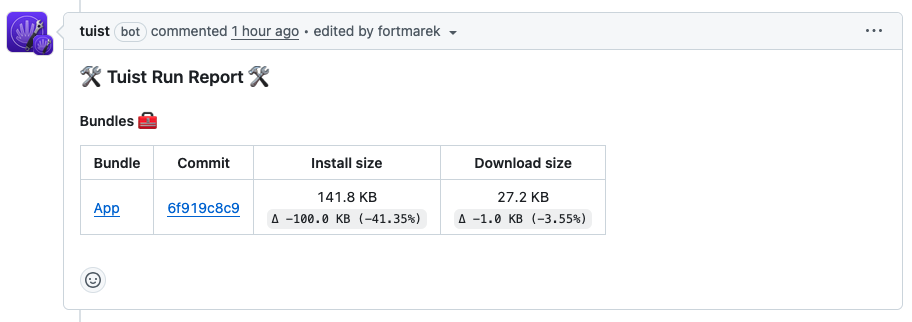
Section titled “Pull/merge request comments”Once your Tuist project is connected with your Git platform such as GitHub, Tuist will post a comment directly in your pull/merge requests whenever you run tuist inspect bundle:
Size thresholds
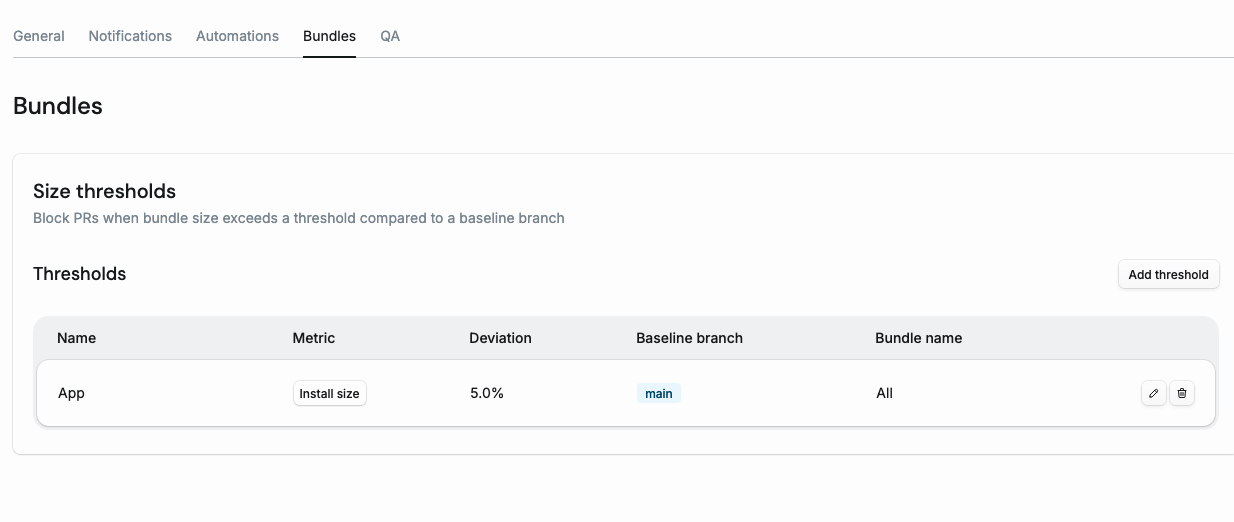
Section titled “Size thresholds”Size thresholds let you block pull requests when the bundle size increases beyond a configured percentage compared to a baseline branch. When a threshold is violated, Tuist creates a GitHub Check Run on the PR commit, blocking the merge until the size increase is resolved:
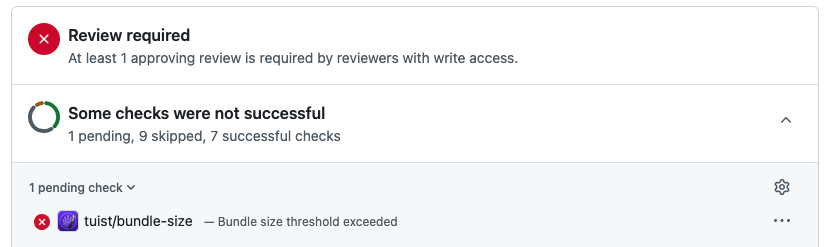
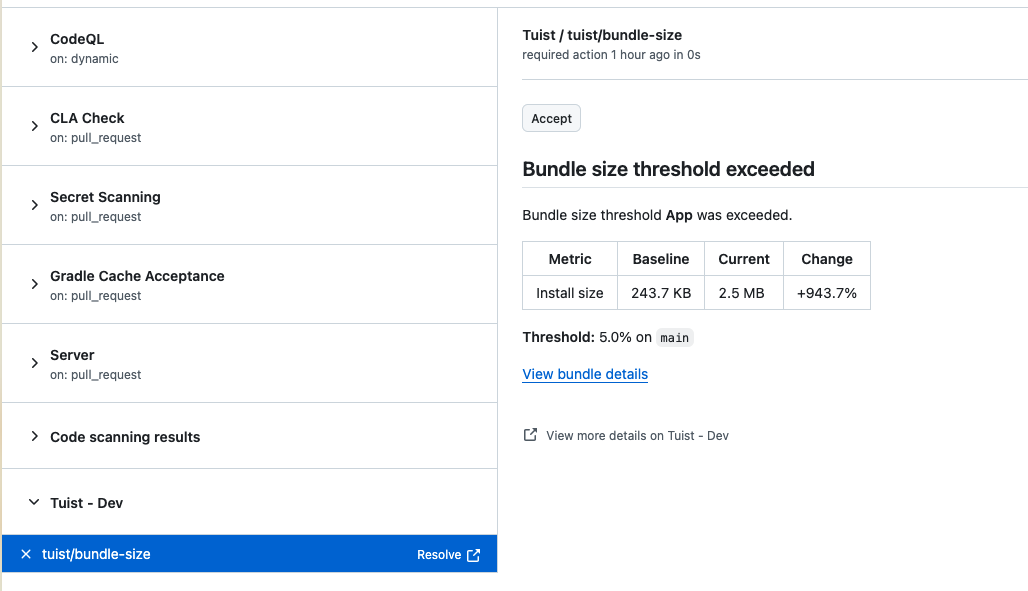
The check run shows the baseline size, current size, and percentage change. If the increase is intentional, you can accept it directly from the GitHub UI by clicking the Accept button:
Configuration
Section titled “Configuration”To configure thresholds, go to your project’s Settings > Bundles tab: