Xcode 测试洞察
Xcode 测试洞察 {#xcode-test-insights}
Section titled “Xcode 测试洞察 {#xcode-test-insights}”::: warning 要求
- 一个
Tuist 账户和项目
:::
Tuist Test Insights 为你提供 Xcode 测试分析,通过识别缓慢测试或快速了解失败的 CI 运行来监控测试套件的健康状况。随着测试套件的增长,越来越难发现逐渐变慢的测试或间歇性失败等趋势。Tuist Test Insights 为你提供保持快速可靠测试套件所需的可见性。
使用 Test Insights,你可以回答以下问题:
- 我的测试是否变慢了?哪些变慢了?
- 哪些测试是 flaky 的,需要关注?
- 为什么我的 CI 运行失败了?
设置 {#setup}
Section titled “设置 {#setup}”要开始跟踪你的测试,你可以将 tuist inspect test 命令添加到你的 scheme 的测试 post-action 中:
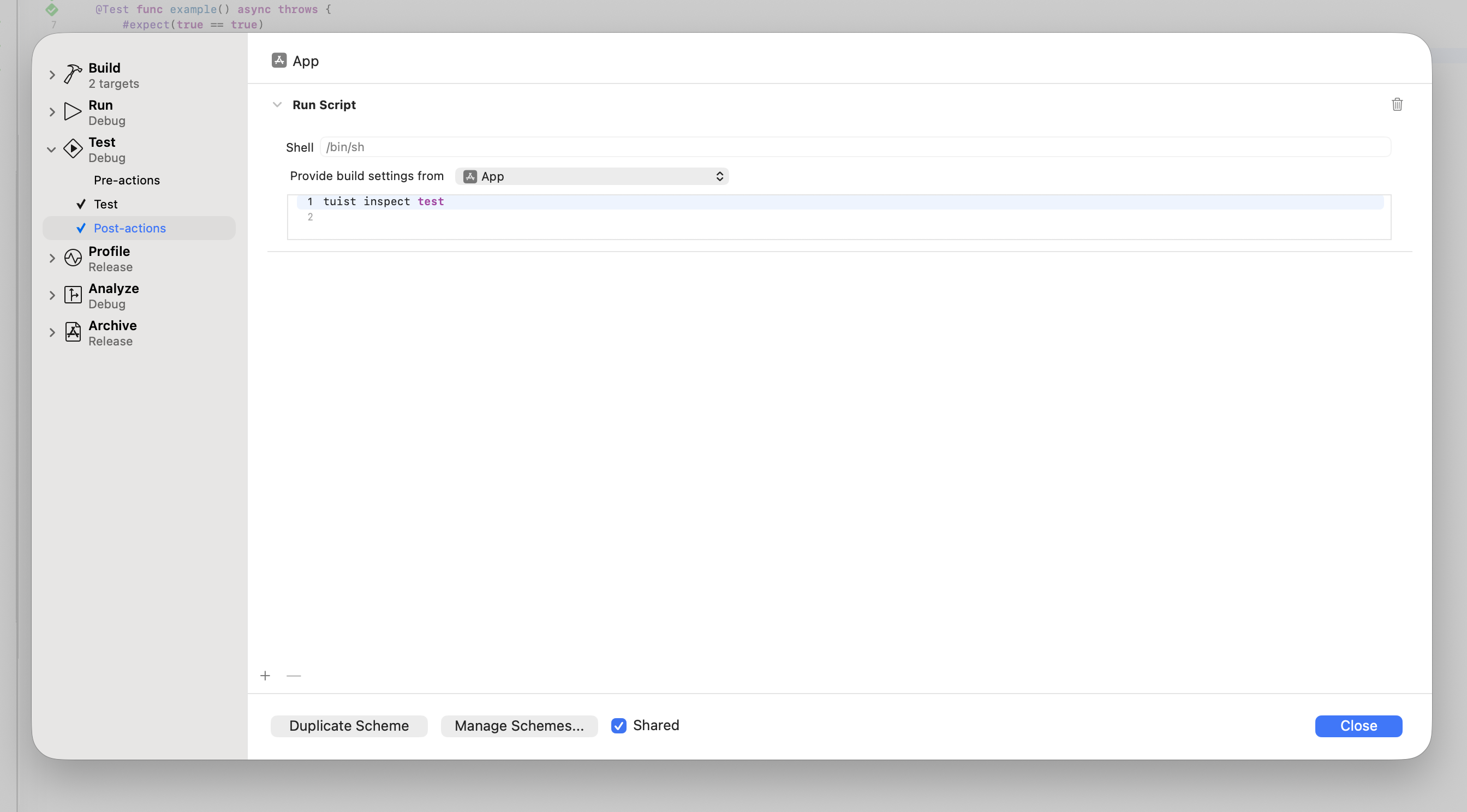
如果你正在使用 Mise,你的脚本需要在 post-action 环境中激活 tuist:
# -C 确保 Mise 从项目根目录的 Mise 配置文件加载配置$HOME/.local/bin/mise x -C $SRCROOT -- tuist inspect test::: tip MISE 和项目路径
你的环境的 PATH 环境变量不会被 scheme post action 继承,因此你必须使用 Mise 的绝对路径,这将取决于你如何安装 Mise。此外,不要忘记从项目中的目标继承构建设置,以便你可以从 $SRCROOT 指向的目录运行 Mise。
:::
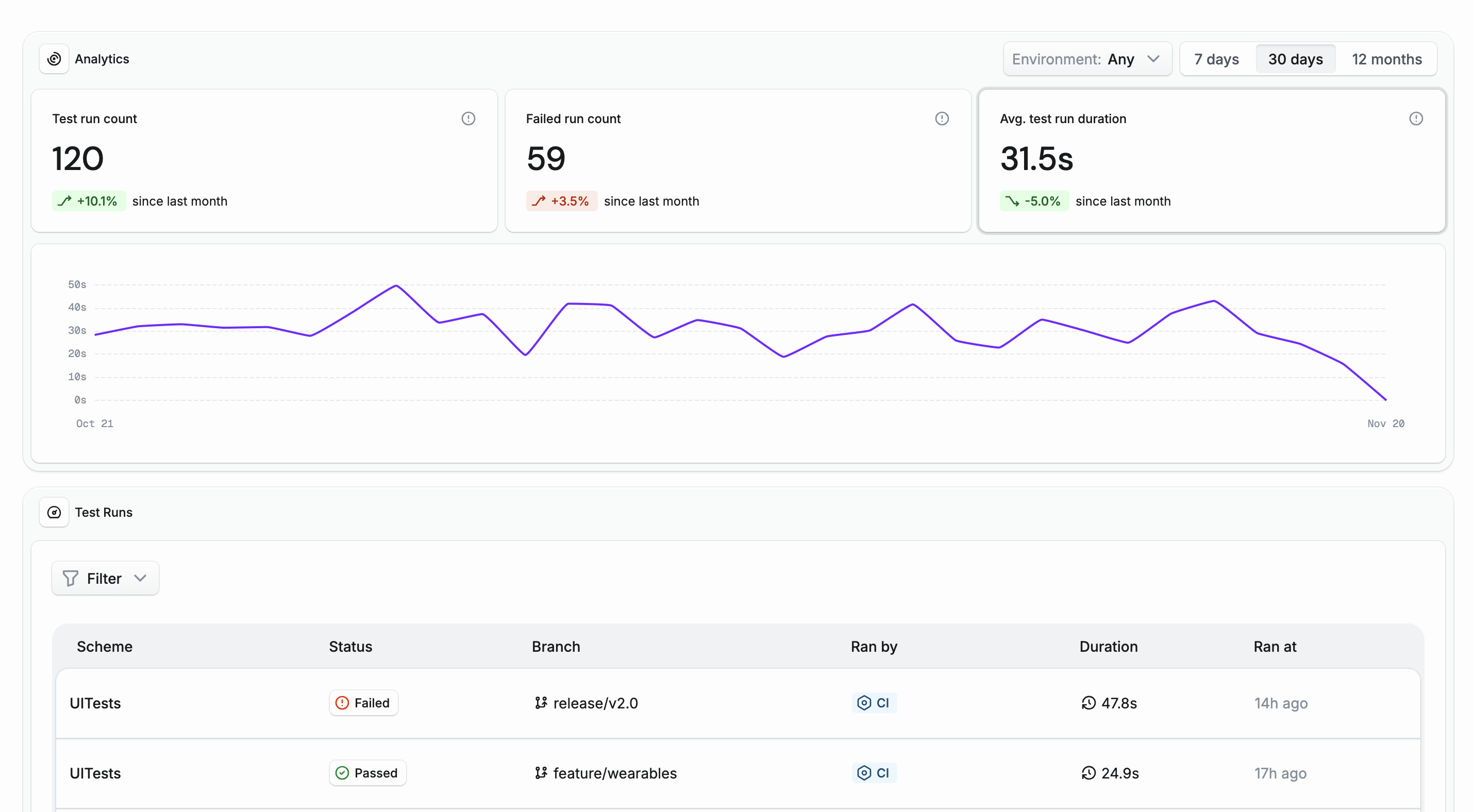
只要你登录到你的 Tuist 账户,你的测试运行就会被跟踪。你可以在 Tuist 仪表板中访问你的测试洞察,并查看它们随时间的变化:
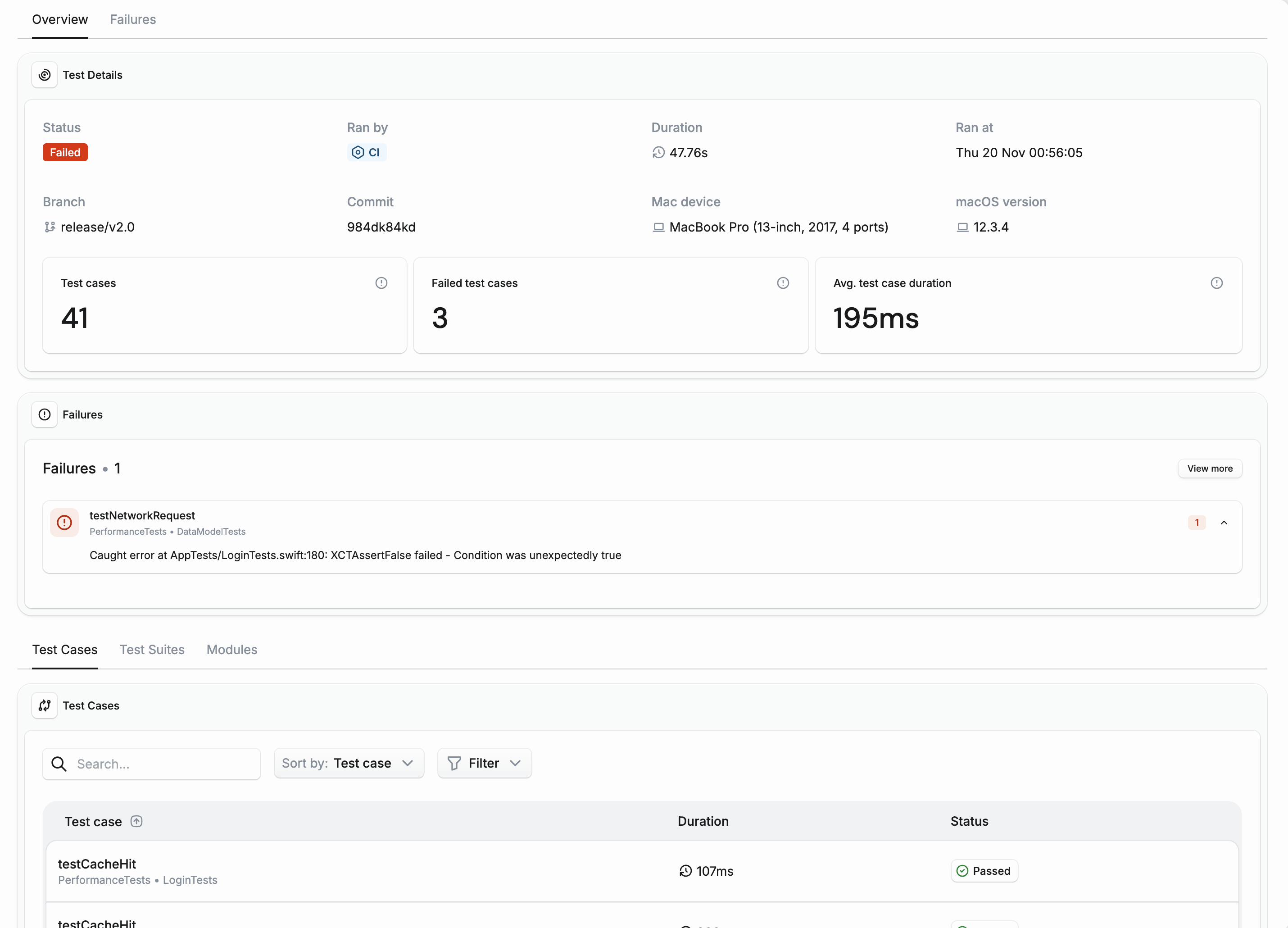
除了整体趋势,你还可以深入研究每个单独的测试,例如在调试失败或 CI 上的慢测试时:
生成的项目 {#generated-projects}
Section titled “生成的项目 {#generated-projects}”::: info
自动生成的 scheme 会自动包含 tuist inspect test post-action。
:::
如果你不希望在你的自动生成的方案中跟踪测试洞察,可以使用 testInsightsDisabled 生成选项禁用它们。
如果你使用带有自定义 scheme 的生成项目,你可以为测试洞察设置 post-action:
let project = Project( name: "MyProject", targets: [ // Your targets ], schemes: [ .scheme( name: "MyApp", shared: true, buildAction: .buildAction(targets: ["MyApp"]), testAction: .testAction( targets: ["MyAppTests"], postActions: [ // Test insights: Track test duration and flakiness .executionAction( title: "Inspect Test", scriptText: """ $HOME/.local/bin/mise x -C $SRCROOT -- tuist inspect test """, target: "MyAppTests" ) ] ), runAction: .runAction(configuration: "Debug") ) ])如果你没有使用 Mise,你的脚本可以简化为:
testAction: .testAction( targets: ["MyAppTests"], postActions: [ .executionAction( title: "Inspect Test", scriptText: "tuist inspect test" ) ])持续集成 {#continuous-integration}
Section titled “持续集成 {#continuous-integration}”要跟踪 CI 上的测试洞察,你需要确保你的 CI 已通过
此外,你需要:
- 在调用
xcodebuild操作时使用tuist xcodebuild - 在你的
xcodebuild调用中添加-resultBundlePath。
当 xcodebuild 在没有 -resultBundlePath 的情况下测试你的项目时,不会生成所需的 result bundle 文件。tuist inspect test post-action 需要这些文件来分析你的测试。