Xcode 不稳定测试
Xcode flaky 测试 {#xcode-flaky-tests}
Section titled “Xcode flaky 测试 {#xcode-flaky-tests}”::: warning 要求
- 必须配置
Test Insights
:::
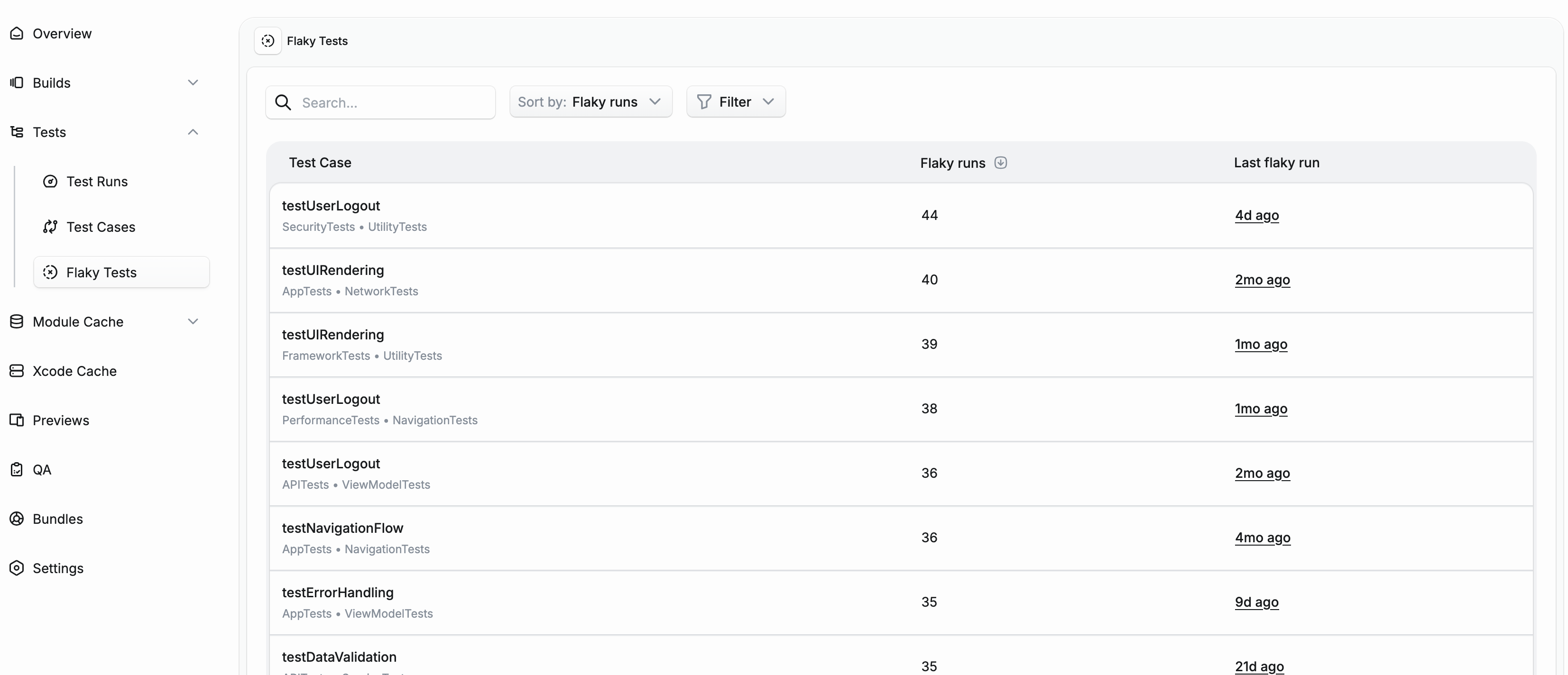
Flaky 测试是指用相同代码多次运行时产生不同结果(通过或失败)的测试。它们会削弱对测试套件的信任,并浪费开发人员时间调查虚假失败。Tuist 会自动检测 flaky 测试并帮助你跟踪它们。
Flaky 检测的工作原理 {#how-it-works}
Section titled “Flaky 检测的工作原理 {#how-it-works}”Tuist 通过两种方式检测 flaky 测试:
测试重试 {#test-retries}
Section titled “测试重试 {#test-retries}”当你使用重试功能运行测试时,Tuist 会分析每次尝试的结果。如果一个测试在某些尝试中失败但在其他尝试中通过,则会被标记为 flaky。
使用 -retry-tests-on-failure 或 -test-iterations:
tuist xcodebuild test \ -scheme MyScheme \ -retry-tests-on-failure \ -test-iterations 3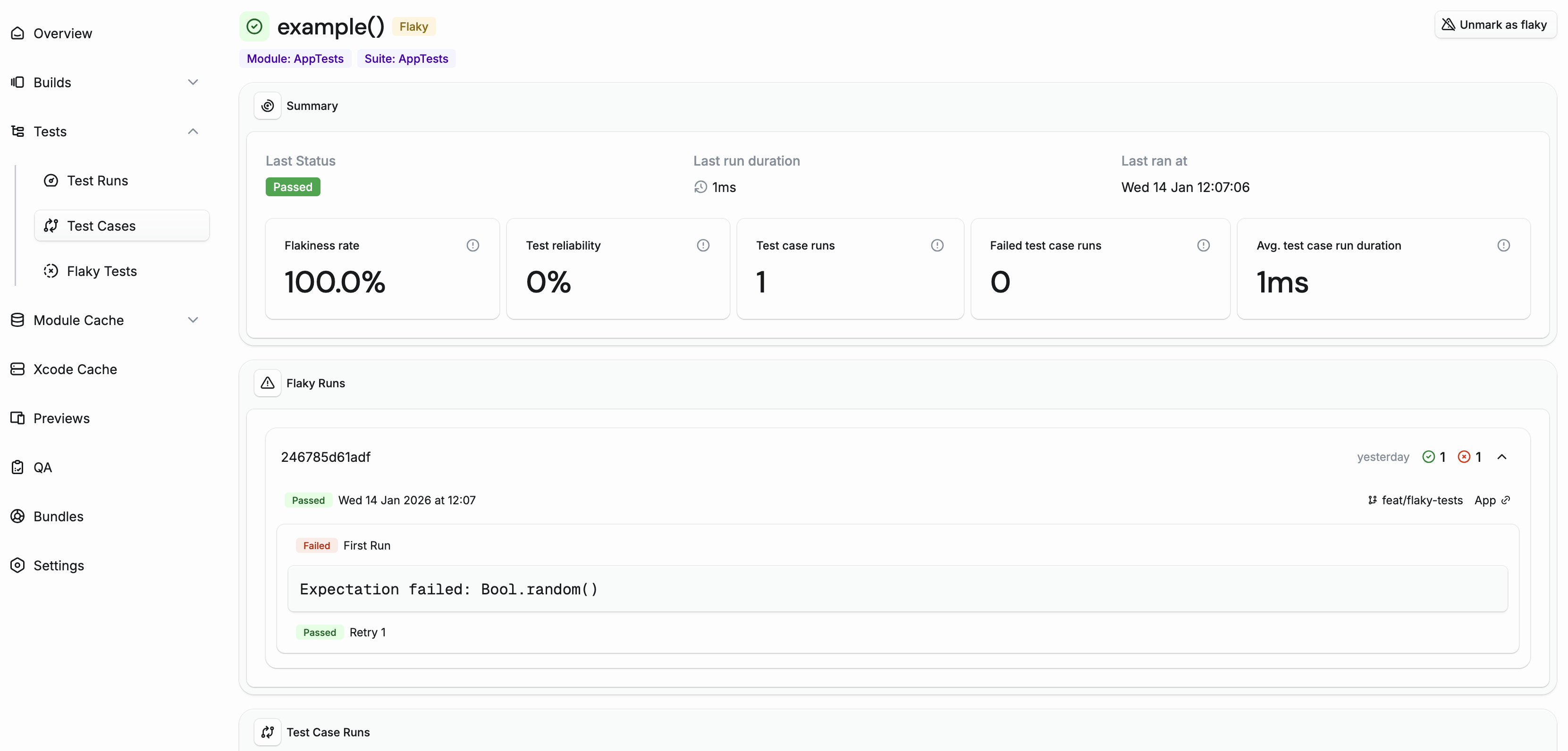
跨运行检测 {#cross-run-detection}
Section titled “跨运行检测 {#cross-run-detection}”即使没有测试重试,Tuist 也可以通过比较同一提交在不同 CI 运行中的结果来检测 flaky 测试。如果一个测试在一次 CI 运行中通过但在同一提交的另一次运行中失败,则两次运行都会被标记为 flaky。
这对于捕获那些 flaky 程度不够一致以至于重试无法发现,但仍会导致间歇性 CI 失败的测试特别有用。
管理 flaky 测试 {#managing-flaky-tests}
Section titled “管理 flaky 测试 {#managing-flaky-tests}”Tuist 会自动清除 14 天不再是 flaky 的测试的 flaky 标记。这确保了已修复的测试不会被永久标记为 flaky。
你也可以从测试用例详情页手动标记或取消标记测试为 flaky。这在以下情况下很有用:
- 你想在修复 flaky 测试时确认一个已知的 flaky 测试
- 由于基础设施问题,测试被错误地标记
隔离 flaky 测试 {#quarantining}
Section titled “隔离 flaky 测试 {#quarantining}”隔离允许你将 flaky 测试隔离开,这样它们就不会阻塞你的 CI 管道,同时你正在修复它们。隔离的测试可以在测试运行期间被跳过,防止虚假失败扰乱你的团队工作流程。
[!IMPORTANT] 除非你使用
tuist test,否则隔离测试不会自动跳过它。你必须使用-skip-testing标志将隔离测试列表显式传递给 xcodebuild。
当在项目的 Automations 设置中启用时,测试在被标记为 flaky 时会自动隔离。这确保了新检测到的 flaky 测试立即被隔离,无需手动干预。
要启用自动隔离:
- 转到你的项目设置
- 导航到 Automations 选项卡
- 启用 Auto-quarantine flaky tests
你也可以从测试用例详情页使用 Quarantine 和 Unquarantine 按钮手动隔离或取消隔离测试。这在以下情况下很有用:
- 你想在一个测试被自动检测为 flaky 之前隔离它
- 你想在修复底层问题后取消隔离测试
跳过隔离的测试 {#skipping-quarantined-tests}
Section titled “跳过隔离的测试 {#skipping-quarantined-tests}”使用 tuist test
Section titled “使用 tuist test”当你运行 tuist test 时,隔离的测试会自动被跳过。Tuist 从服务器获取隔离的测试列表,并使用 -skip-testing 标志将它们传递给 xcodebuild。
tuist test如果你想包括隔离的测试运行所有测试,请使用 --skip-quarantine 标志:
tuist test --skip-quarantine直接使用 xcodebuild
Section titled “直接使用 xcodebuild”如果你直接使用 xcodebuild 而不是 tuist test,请使用 tuist test case list 命令和 --skip-testing 标志获取为 xcodebuild 格式化的隔离测试标识符:
xcodebuild test \ -scheme MyScheme \ $(tuist test case list --skip-testing)Slack 通知 {#slack-notifications}
Section titled “Slack 通知 {#slack-notifications}”通过在 Slack 集成中设置