应用预览
Tuist Previews 让你可以生成和分享应用预览,这样团队成员就可以在不本地重建的情况下测试构建。
构建应用时,你可能希望与他人分享以获取反馈。传统上,团队会通过构建、签名并将应用推送到 Apple 的 TestFlight 等平台来做到这一点。然而,这个过程可能很繁琐和缓慢,特别是当你只是想快速获得同事或朋友的反馈时。
为了让这个过程更加顺畅,Tuist 提供了一种与任何人生成和分享应用预览的方式。
```bash [Tuist 项目 (Debug)] tuist generate App tuist xcodebuild build -scheme App -workspace App.xcworkspace -configuration Debug -sdk iphonesimulator # 为模拟器构建应用 tuist xcodebuild build -scheme App -workspace App.xcworkspace -configuration Debug -destination 'generic/platform=iOS' # 为设备构建应用 tuist share App ``` ```bash [Tuist 项目 (Release)] tuist generate App tuist xcodebuild build -scheme App -workspace App.xcworkspace -configuration Release -sdk iphonesimulator # 为模拟器构建应用 tuist xcodebuild build -scheme App -workspace App.xcworkspace -configuration Release -destination 'generic/platform=iOS' # 为设备构建应用 tuist share App --configuration Release ``` ```bash [Xcode 项目 (Debug)] tuist xcodebuild build -scheme App -project App.xcodeproj -configuration Debug # 为模拟器构建应用 tuist xcodebuild build -scheme App -project App.xcodeproj -configuration Debug -destination 'generic/platform=iOS' # 为设备构建应用 tuist share App --configuration Debug --platforms iOS tuist share App.ipa # 分享现有的 .ipa 文件 ``` ```bash [Xcode 项目 (Release)] tuist xcodebuild build -scheme App -project App.xcodeproj -configuration Release # 为模拟器构建应用 tuist xcodebuild build -scheme App -project App.xcodeproj -configuration Release -destination 'generic/platform=iOS' # 为设备构建应用 tuist share App --configuration Release --platforms iOS tuist share App.ipa # 分享现有的 .ipa 文件 ``` 该命令将生成一个链接,你可以与任何人分享来运行应用——无论是在模拟器上还是在实际设备上。他们只需要运行以下命令:tuist run {url}tuist run --device "My iPhone" {url} # 在特定设备上运行应用分享 .ipa 文件时,你可以直接从移动设备使用 Preview 链接下载应用。.ipa 预览链接默认是_私有的_,意味着接收者需要使用他们的 Tuist 账户身份验证才能下载应用。如果你想与任何人分享该应用,你可以在项目设置中将其更改为公开。
tuist run 还支持根据规范符运行最新的预览,例如 latest、分支名称或特定的提交哈希:
tuist run App@latest # 运行与项目默认分支关联的最新 App 预览tuist run App@my-feature-branch # 运行与给定分支关联的最新 App 预览tuist run App@00dde7f56b1b8795a26b8085a781fb3715e834be # 运行与给定 git 提交 sha 关联的最新 App 预览Tracks
Section titled “Tracks”Tracks 允许你将预览组织成命名组。例如,你可能有一个用于内部测试人员的 beta track 和一个用于自动化构建的 nightly track。Tracks 是延迟创建的——只需在分享时指定一个 track 名称,如果它不存在就会自动创建。
要分享特定 track 上的预览,请使用 --track 选项:
tuist share App --track betatuist share App --track nightly这对于以下方面很有用:
- 组织预览:按目的对预览进行分组(例如,
beta、nightly、internal) - 应用内更新:Tuist SDK 使用 tracks 来确定要通知用户哪些更新
- 过滤:在 Tuist 仪表板中按 track 轻松查找和管理预览
Tuist macOS 应用
Section titled “Tuist macOS 应用”
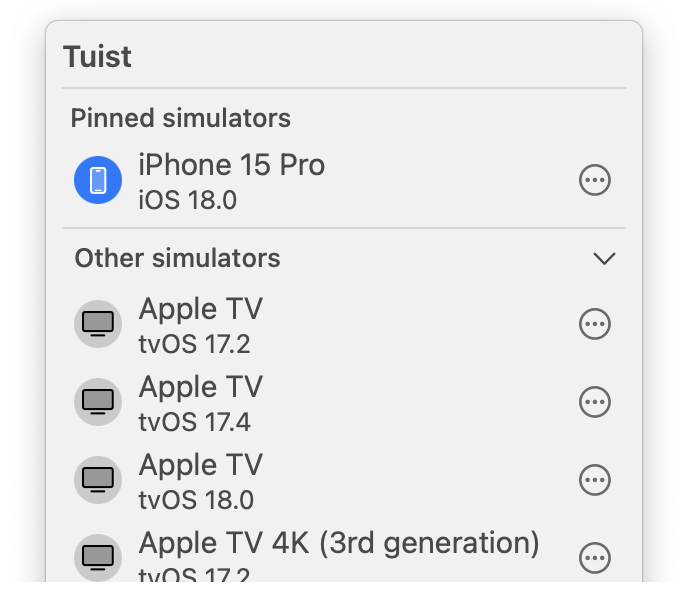
为了使运行 Tuist Previews 更加容易,我们开发了一个 Tuist macOS 菜单栏应用。你可以通过 Tuist CLI 下载 macOS 应用或运行 brew install --cask tuist/tuist/tuist。
现在,当你在 Preview 页面上点击 “Run” 时,macOS 应用会自动在你当前选择的设备上启动它。
Tuist iOS 应用
Section titled “Tuist iOS 应用”
Tuist
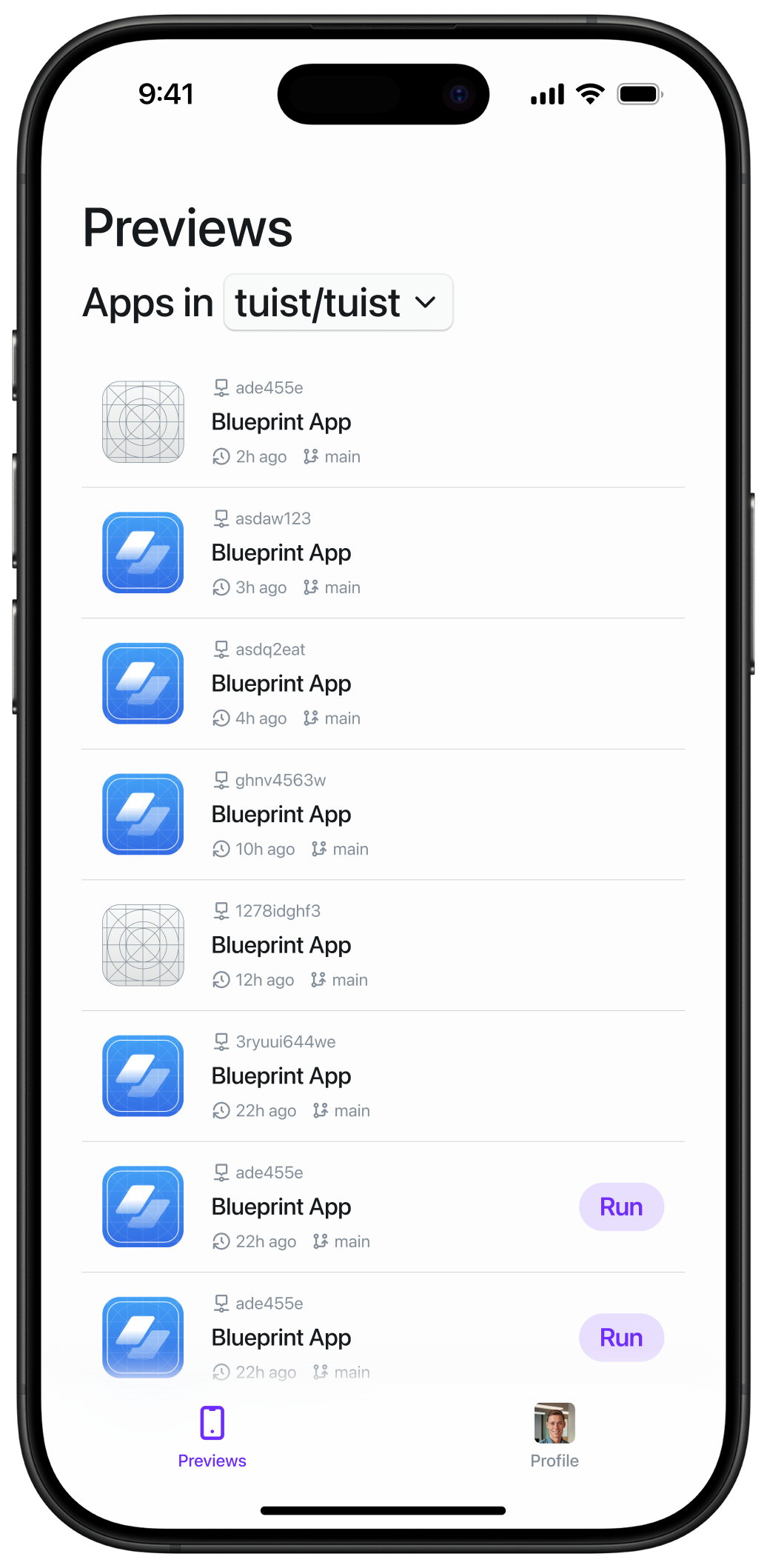

与 macOS 应用类似,Tuist iOS 应用简化了访问和运行预览的过程。
Pull/Merge Request 评论
Section titled “Pull/Merge Request 评论”测试新功能应该是任何代码审查的一部分。但是需要在本地构建应用会增加不必要的摩擦,往往导致开发人员完全跳过在设备上测试功能。但是如果每个 pull request 都包含一个链接,该链接会自动在你于 Tuist macOS 应用中选择的设备上运行应用,该怎么办?
一旦你的 Tuist 项目连接到你的 Git 平台(如 GitHub),将 tuist share MyApp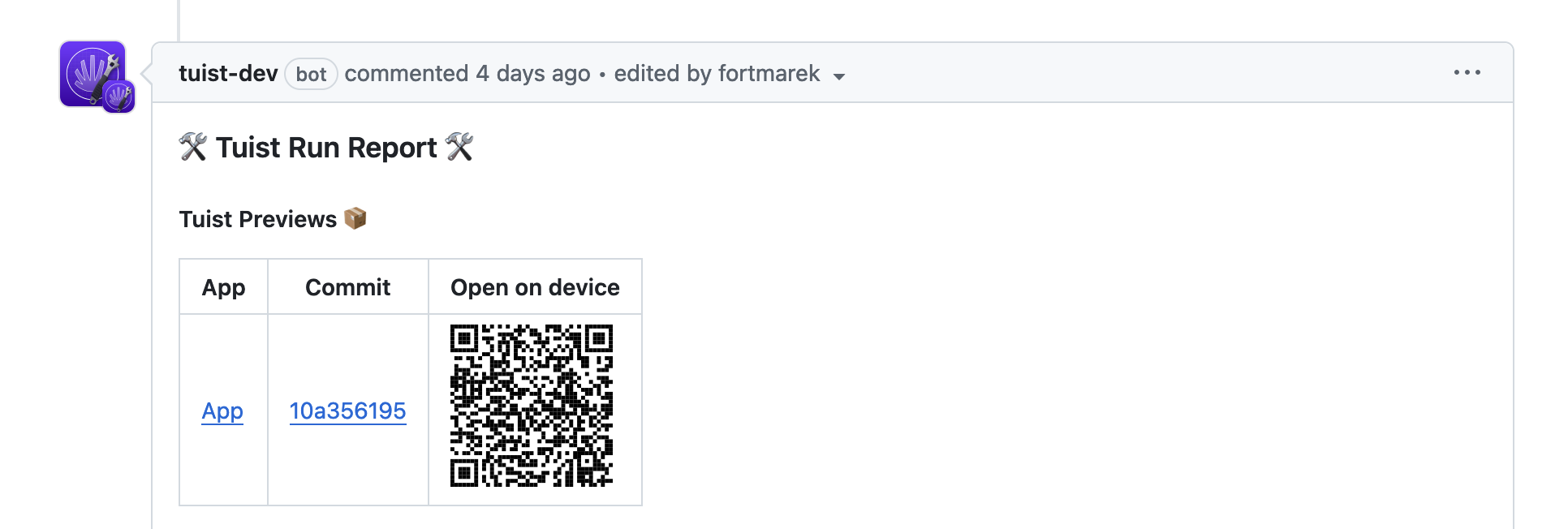
应用内更新通知
Section titled “应用内更新通知”Tuist SDK 使你的应用能够检测到何时有更新的预览版本可用,并通知用户。这对于让测试人员保持在最新的构建上很有用。
SDK 会在相同的 preview track 中检查更新。当你使用 --track 显式 track 分享预览时,SDK 将在该 track 上查找更新。如果未指定 track,则使用 git 分支作为 track——因此从 main 分支构建的预览将仅通知同样从 main 构建的新预览。
添加 Tuist SDK 作为 Swift Package 依赖:
.package(url: "https://github.com/tuist/sdk", .upToNextMajor(from: "0.1.0"))使用 monitorPreviewUpdates 定期检查新的预览版本:
import TuistSDK
struct MyApp: App {    var body: some Scene {        WindowGroup {            ContentView()                .task {                    TuistSDK(                        fullHandle: "myorg/myapp",                        apiKey: "your-api-key"                    )                    .monitorPreviewUpdates()                }        }    }}
单次更新检查
Section titled “单次更新检查”手动检查更新:
let sdk = TuistSDK(    fullHandle: "myorg/myapp",    apiKey: "your-api-key")
if let preview = try await sdk.checkForUpdate() {    print("新版本可用: \(preview.version ?? "unknown")")}
停止更新监控
Section titled “停止更新监控”monitorPreviewUpdates 返回一个可以取消的 Task:
let task = sdk.monitorPreviewUpdates { preview in    // 处理更新}
// 稍后,停止监控:task.cancel()README 徽章
Section titled “README 徽章”为了使 Tuist Previews 在你的仓库中更可见,你可以添加一个徽章到你的 README 文件,指向最新的 Tuist Preview:

要将徽章添加到你的 README,请使用以下 markdown 并将账户和项目句柄替换为你自己的:
[](https://tuist.dev/{account-handle}/{project-handle}/previews/latest)如果你的项目包含多个具有不同 bundle identifier 的应用,你可以通过添加 bundle-id 查询参数指定链接到哪个应用的预览:
[](https://tuist.dev/{account-handle}/{project-handle}/previews/latest?bundle-id=com.example.app)你可以使用 --json 标志从 tuist share 命令获取 JSON 输出:
tuist share --jsonJSON 输出对于创建自定义自动化很有用,例如使用你的 CI 提供商发布 Slack 消息。JSON 包含一个带有完整预览链接的 url 键和一个带有二维码图片 URL 的 qrCodeURL 键,以便从真实设备更轻松地下载预览。以下是 JSON 输出的示例:
{ "id": 1234567890, "url": "https://cloud.tuist.io/preview/1234567890", "qrCodeURL": "https://cloud.tuist.io/preview/1234567890/qr-code.svg"}