Bundle 洞察
Bundle 洞察 {#bundle-size}
Section titled “Bundle 洞察 {#bundle-size}”::: warning 要求
- 一个
Tuist 账户和项目
:::
随着你为应用添加更多功能,应用 bundle 的大小不断增长。虽然 bundle 大小的一些增长是不可避免的,因为你发布了更多代码和资产,但有很多方法可以最小化这种增长,例如确保你的资产不会在 bundle 中重复或剥离未使用的二进制符号。Tuist Bundle Insights 同时支持 Apple 和 Android bundle,为你提供工具和洞察来帮助你的应用保持小巧,我们还会在一段时间内监控你的应用大小。
使用方法 {#usage}
Section titled “使用方法 {#usage}”要分析 bundle,你可以使用 tuist inspect bundle 命令:
Apple {#usage-apple}
Section titled “Apple {#usage-apple}”::: code-group
tuist inspect bundle App.ipatuist inspect bundle App.xcarchivetuist inspect bundle App.app:::
Android {#usage-android}
Section titled “Android {#usage-android}”::: code-group
tuist inspect bundle App.aabtuist inspect bundle App.apk:::
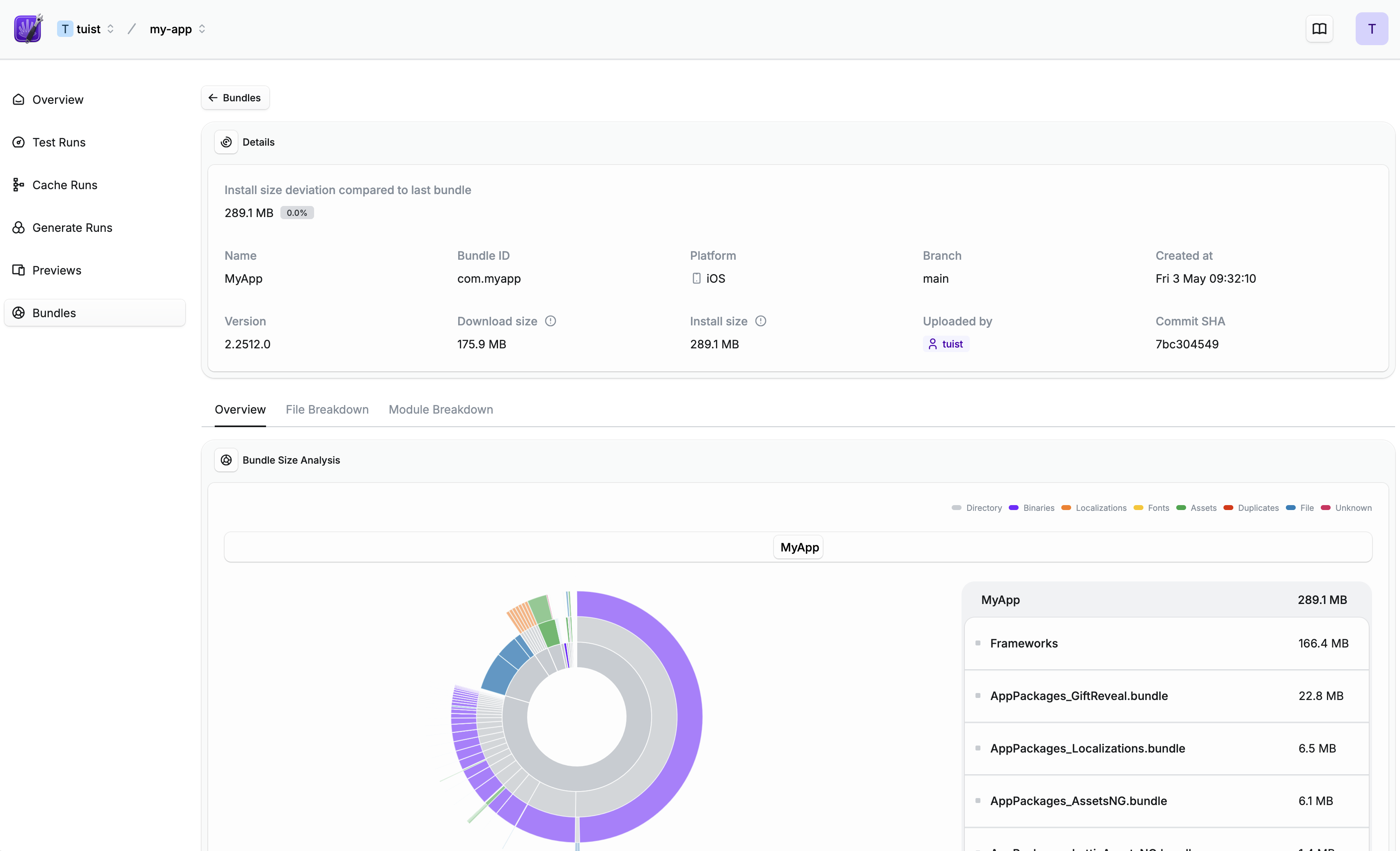
tuist inspect bundle 命令会分析 bundle 并为你提供一个链接,用于查看 bundle 的详细概述,包括 bundle 内容的扫描或模块细分:
持续集成 {#continuous-integration}
Section titled “持续集成 {#continuous-integration}”要跟踪一段时间内的 bundle 大小,你需要在 CI 上分析 bundle。首先,你需要确保你的 CI 已通过
然后,GitHub Actions 的示例工作流程可能如下所示:
::: code-group
name: Build
jobs: build: steps: - # 构建你的应用 - name: Analyze bundle run: tuist inspect bundle App.ipa env: TUIST_TOKEN: ${{ secrets.TUIST_TOKEN }}name: Build
jobs: build: steps: - # 构建你的应用 - name: Analyze bundle # 建议使用 .aab 而不是 .apk 以获得更准确的大小分析 run: tuist inspect bundle App.aab env: TUIST_TOKEN: ${{ secrets.TUIST_TOKEN }}:::
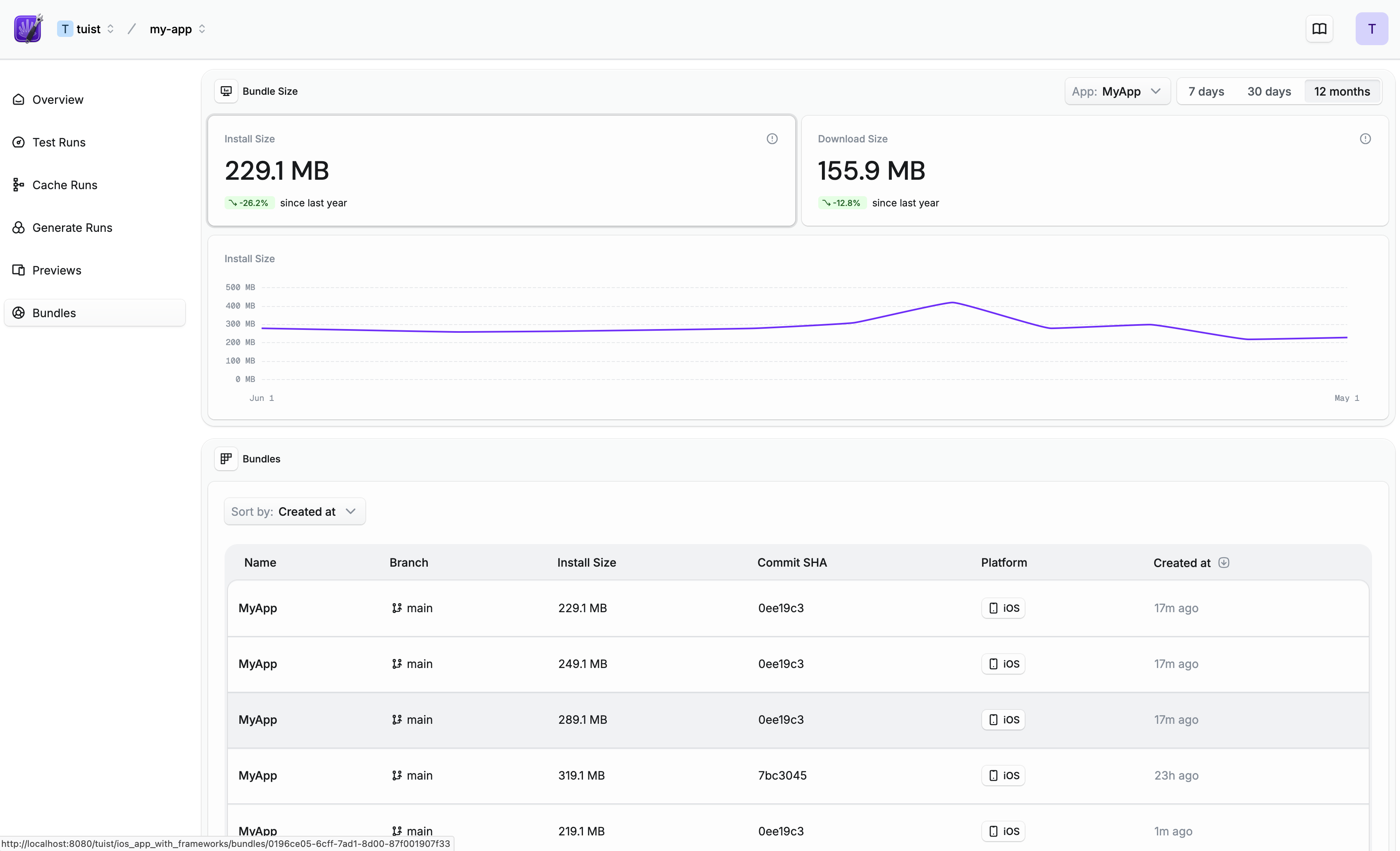
设置完成后,你将能够看到你的 bundle 大小如何随时间变化:
Pull/Merge Request 评论 {#pullmerge-request-comments}
Section titled “Pull/Merge Request 评论 {#pullmerge-request-comments}”::: warning 需要与 GIT 平台集成
要获得自动的 pull/merge request 评论,请将你的
:::
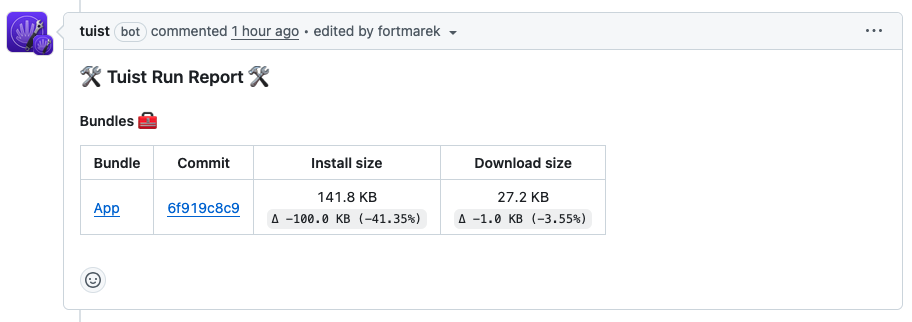
一旦你的 Tuist 项目连接到你的 Git 平台(如 GitHub),每次你运行 tuist inspect bundle 时,Tuist 都会直接在 pull/merge request 中发布评论:
大小阈值 {#size-thresholds}
Section titled “大小阈值 {#size-thresholds}”::: warning 需要与 GIT 平台集成
要使用大小阈值,请将 Tuist GitHub App 连接到你的项目。你可以从项目的集成页面执行此操作。
:::
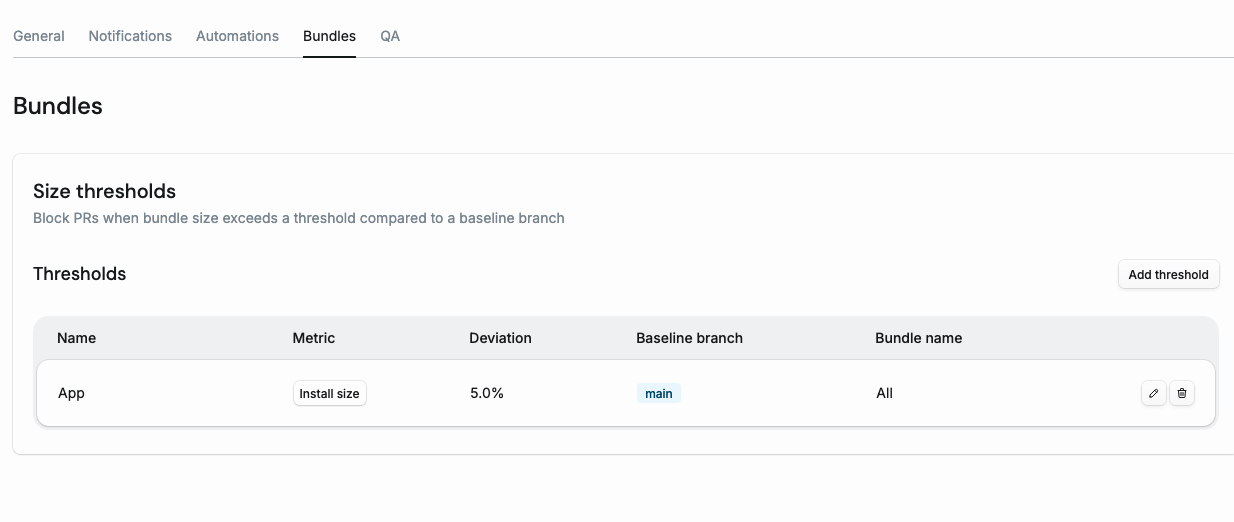
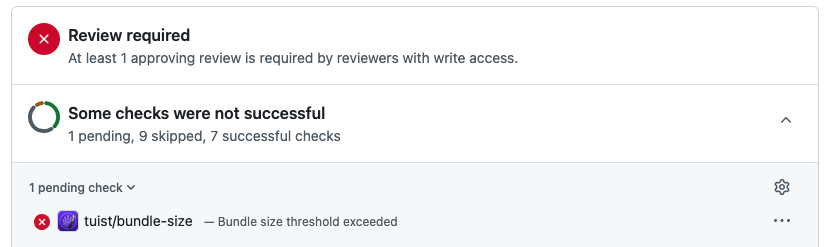
大小阈值允许你阻止 pull request 当 bundle 大小相对于基准分支增长超过配置的百分比时。当超过阈值时,Tuist 会在 PR 提交上创建 GitHub Check Run,阻止合并直到解决大小增长问题:
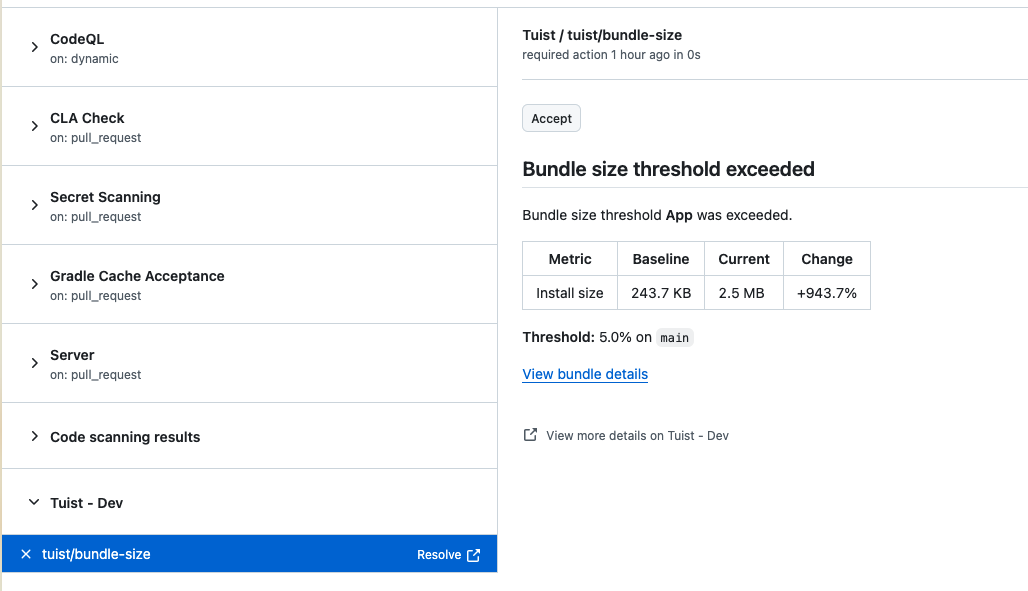
Check Run 显示基准大小、当前大小和百分比变化。如果增长是有意的,你可以直接点击 GitHub UI 中的 Accept 按钮接受它:
配置 {#size-thresholds-configuration}
Section titled “配置 {#size-thresholds-configuration}”要配置阈值,请转到你的项目的 Settings > Bundles 选项卡: